Speech timer apps for iPhone and iPad, compared (checked November 20, 2026)
All four apps time a talk on iPhone and iPad and show the speaker how much time is left. They differ in price, in what the free version includes, and in remote control and reports. Talklight has nothing locked behind a purchase. Fin, Speech Timer for Toastmasters and Stage Timer sell an upgrade.
How we checked
We make Talklight, so we are not neutral. To keep this fair, we read each app's App Store listing on November 20, 2026: the description, the in-app purchases, the compatibility list and the privacy label. Prices are US prices and can change. When a listing doesn't mention a feature, the table says so. That doesn't mean the app lacks it.
Found a mistake? Email support@gwig.app and we'll fix it.
Side by side
| Feature | Talklight | Fin | Speech Timer | Stage Timer |
|---|---|---|---|---|
| App Store name and ID | Talklight: Speaker Timer (6816308040) | Timer for Rehearsal: Fin (726213320) | Speech Timer for Toastmasters (303623657) | Stage Timer (6463024839) |
| Developer | gwig (we make it) | Joseph Cieplinski | Sasmito Adibowo (Basil Salad Software) | MSDC Technologies Ltd |
| Price | Free. Optional tips. | Free. Fin Pro: $0.99 a month, $9.99 a year or $29.99 lifetime. | Free. Custom speech types: $9.99, one-time. | Free. Stage Timer Pro: $17.99, one-time. No subscription. |
| Limits on the free version | Nothing locked behind a purchase. | One timer, up to 3 color warnings and 12 templates. Pro adds unlimited timers, iCloud sync and the multi-device remote. | Custom speech types need the purchase. Other limits are not mentioned in the listing. | Timers up to 1 hour. Pro adds timers up to 24 hours, multi-device sharing, remote controls, custom themes and audio alerts. |
| Color cues | Green, yellow and red at the minutes you choose. A color-blind palette uses blue, yellow and orange. | Green, yellow and red (the Toastmasters standard), yellow, orange and red, or your own colors | Color changes, plus position marks for people who find colors hard to tell apart | Not mentioned in the listing. It shows a progress bar. |
| Counts the overtime | Yes. It stays red and counts the overrun. | Yes | Not mentioned in the listing | Not mentioned in the listing |
| Remote control from a second device | Free. An iPhone runs an iPad display directly over Wi-Fi, with a four-digit code. No internet and no account. | Pro: remote control and syncing of two or more devices. Free: an Apple Watch controls the iPhone timer. | Not mentioned in the listing | Pro: multi-device sharing and remote controls. How the devices connect is not mentioned in the listing. |
| TV or projector | Yes, over HDMI or AirPlay. The big screen shows only the clock. | Not mentioned in the listing | Yes, over a cable or AirPlay | Not mentioned in the listing |
| Message the speaker | Yes. Ready-made or typed messages, with an optional blink. | A custom message when time runs out | Not mentioned in the listing | Custom on-screen messages |
| Speaker lineup and reports | Run of show with names and "Up next". Qualifying windows with a grace period, history and a plain-text report. | Not mentioned in the listing | Each speaker's name, speech and time, and a timer's report you can send by email | Not mentioned in the listing |
| Apple Watch | No Watch app. With alerts on, color-change notifications reach your watch. | Yes: start, pause, add or take away time | No Watch version in the listing | No Watch version in the listing |
| App privacy label | Data not linked to you: usage data, diagnostics, device ID | Data not collected | Data not linked to you: usage data, diagnostics | Data not collected |
| Languages | English | English and 5 more | English and Indonesian | English |
| Last updated | October 5, 2026 | October 18, 2026 | August 15, 2023 | June 2, 2026 |
| Needs | iOS 17.0 or later | iOS 18.0 or later | iOS 11.0 or later | iOS 17.6 or later |
When to choose another app instead
Fin
Choose Fin if you want an Apple Watch remote, a Mac or Apple Vision Pro version, or a timer you change with a circle gesture. It is in 6 languages and needs iOS 18.0 or later. Fin Pro adds unlimited timers, iCloud sync and a remote for two or more devices. It costs $0.99 a month, $9.99 a year or $29.99 as a lifetime purchase.
Speech Timer for Toastmasters
Choose Speech Timer for Toastmasters if you want a timer's report sent to the club by email, or iCloud sync of your timing history. It shows the timer on a TV or projector and runs on iOS 11.0 or later. Custom speech types are a one-time $9.99 purchase. Its last update was in August 2023.
Stage Timer
Choose Stage Timer if you want custom themes and audio alerts, and one purchase with no subscription. The free version times up to 1 hour. Stage Timer Pro, $17.99 once, adds timers up to 24 hours, multi-device sharing and remote controls.
Talklight
Choose Talklight if you want every feature without a purchase: an iPhone remote for an iPad display, messages to the speaker, a run of show, qualifying windows and reports. The remote needs no internet and no account. It runs on iPhone and iPad with iOS 17.0 or later.
What Talklight doesn't have:
- an Apple Watch app, although its alerts can reach your watch as notifications;
- a Mac app;
- iCloud sync, so your timers and history stay on the device where you add them;
- languages other than English.
Try Talklight
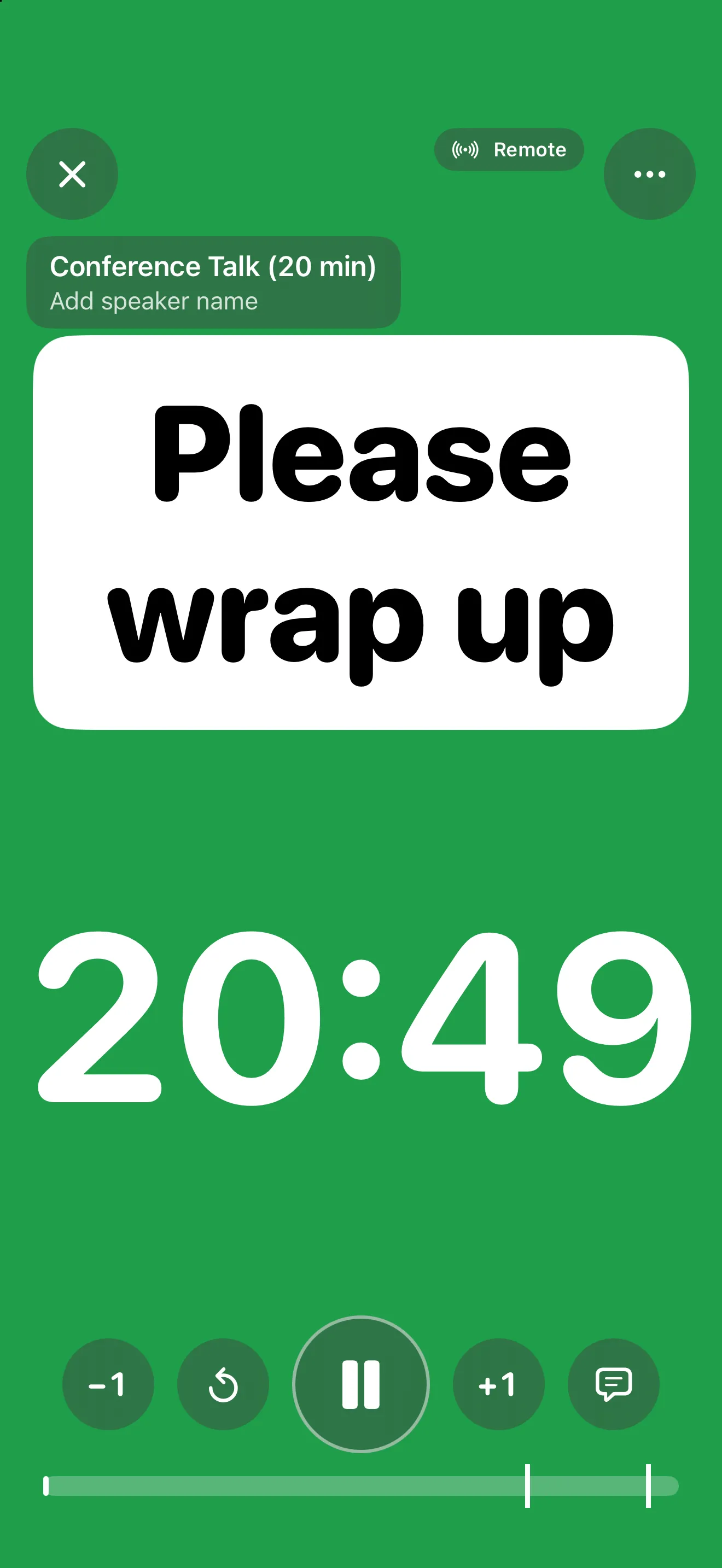
Talklight shows the speaker green, yellow and red cues while you control the clock from your seat. Put an iPad on the lectern, run it from your iPhone, and show it on a TV or projector over HDMI or AirPlay. Your timers and reports stay on your devices. The app sends anonymous usage counts, and a timer only while you share it live.

Free for iPhone and iPad with iOS 17.0 or later. No ads and no account. Nothing is locked behind a purchase: there is no Premium, and tips are optional.
Questions
Which speech timer app is completely free?
Talklight has no paid features: nothing is locked behind a purchase, and tips are optional. Fin, Speech Timer for Toastmasters and Stage Timer are free to download and sell an upgrade: Fin Pro, custom speech types and Stage Timer Pro.
Which apps let me control the timer from my phone?
Talklight does it for free: an iPhone runs the timer on an iPad over Wi-Fi, with no internet or account. Fin needs Fin Pro to link two devices, and its free version lets an Apple Watch control the iPhone timer. Stage Timer needs Stage Timer Pro. Speech Timer for Toastmasters' listing doesn't mention a remote.
Which apps are made for Toastmasters timers?
Speech Timer for Toastmasters keeps each speaker's name and time and makes a timer's report. Talklight has a run of show, qualifying windows with a grace period and a plain-text report. Fin offers the Toastmasters green, yellow and red. None of these apps is affiliated with Toastmasters International.
Can I show the timer on a TV or projector?
Talklight and Speech Timer for Toastmasters can, over a cable or AirPlay. Fin's and Stage Timer's listings don't mention it.
Which apps have an Apple Watch app?
Fin has one. Talklight has no Watch app, but its color-change alerts can reach your watch as notifications. Speech Timer for Toastmasters and Stage Timer list no Watch version.
More Talklight guides
- Talklight: every feature, screenshots and the full FAQ.