
Chess apps for seniors on iPhone and iPad, compared (checked November 20, 2026)
All four apps let you play chess against the computer on iPhone and iPad without the internet. They differ in ads, in what they sell, and in how easy the board is to see and use. Clear Chess has no ads and nothing to buy. Chess.com sells memberships, and Chess Club and Chess Classic show ads and sell a way to remove them.
How we checked
We make Clear Chess, so we are not neutral. To keep this fair, we read each app's App Store listing on November 20, 2026: the description, the in-app purchases, the compatibility list, and the privacy and accessibility labels. Prices are US prices and can change. When a listing doesn't mention a feature, the table says so. That doesn't mean the app lacks it.
Found a mistake? Email support@gwig.app and we'll fix it.
Side by side
| Feature | Clear Chess | Chess.com | Chess Club | Chess Classic |
|---|---|---|---|---|
| App Store name and ID | Clear Chess – Big Pieces (6818422956) | Chess.com - Play and Learn (329218549) | Chess - Offline Board Game (1591188795) | Chess - Classic Puzzle Game (1621420606) |
| Developer | gwig (we make it) | Chess.com, LLC | GamoVation | Dai Nguyen |
| Price | Free. Optional tips. | Free. Gold, Platinum and Diamond memberships, from $4.99 to $119.99. | Free. Remove Ads: $2.99. Hint packs: $1.99 to $26.99. | Free. Remove Ads: $1.99. Gem packs: $3.99 to $64.99. |
| Ads | No ads | Yes: the listing says it contains advertising | Yes: the listing says it contains advertising. Remove Ads costs $2.99. | Sells Remove Ads for $1.99. The privacy label lists third-party advertising. |
| App privacy label | Data not linked to you. Not used to track you. | Used to track you: browsing history, usage data. Linked to you: email address, user ID. | Used to track you: location, identifiers, usage data, diagnostics | Used to track you: usage data |
| Play the computer offline | Yes | Yes | Yes | Yes |
| How you pick the level | Relaxed, Competitive or Challenge, never a level number. It adjusts to your results. | Choose from over 100 bots | 8 levels | Many difficulty levels |
| Undo a move | Yes, as many as you like, and Redo | Not mentioned in the listing | Yes | Yes |
| Hints | Yes, free | From the coach as you play | Yes. Extra hints are sold in packs. | Not mentioned in the listing |
| Big pieces and accessibility | Big, bold pieces with a thick outline. High-contrast board, optional letters on the pieces, and the computer's moves read aloud. | Accessibility label: VoiceOver, Larger Text | Accessibility label: not filled in. 2D or 3D pieces. | Accessibility label: not filled in. 10+ board and piece themes. |
| How you move | Tap a piece, then tap a square. "Ask before each move" is optional. | Not mentioned in the listing | Select a piece to see the moves it can make | Not mentioned in the listing |
| Clocks | None | You can set a timer | Not mentioned in the listing | Not mentioned in the listing |
| Also has | Your game is saved after every move | Online games, tournaments, 1,000,000+ puzzles, lessons and a coach | Game stats | Play a friend, a move table, PGN sharing, and the last game saved |
| Languages | English and 8 more | English and 52 more | English | English |
| Last updated | October 30, 2026 | November 17, 2026 | September 18, 2026 | June 1, 2022 |
| Needs | iOS 17.6 or later | iOS 17.0 or later | iOS 15.1 or later | iOS 11.0 or later |
When to choose another app instead
Chess.com
Choose Chess.com if you want to play people online, join tournaments, or work through puzzles and lessons with a coach. It plays the computer offline too, with over 100 bots, and lists VoiceOver and Larger Text support. It contains ads and sells Gold, Platinum and Diamond memberships.
Chess Club
Choose Chess Club if you want 8 numbered levels, 3D pieces, or an app that runs on iOS 15.1. It has undo and hints. It shows ads, which a $2.99 purchase removes, and sells extra hints.
Chess Classic
Choose Chess Classic if your iPhone or iPad is older: it runs on iOS 11.0. It has undo, a move table, PGN sharing and a way to play a friend. It sells Remove Ads for $1.99. Its last update was in June 2022.
Clear Chess
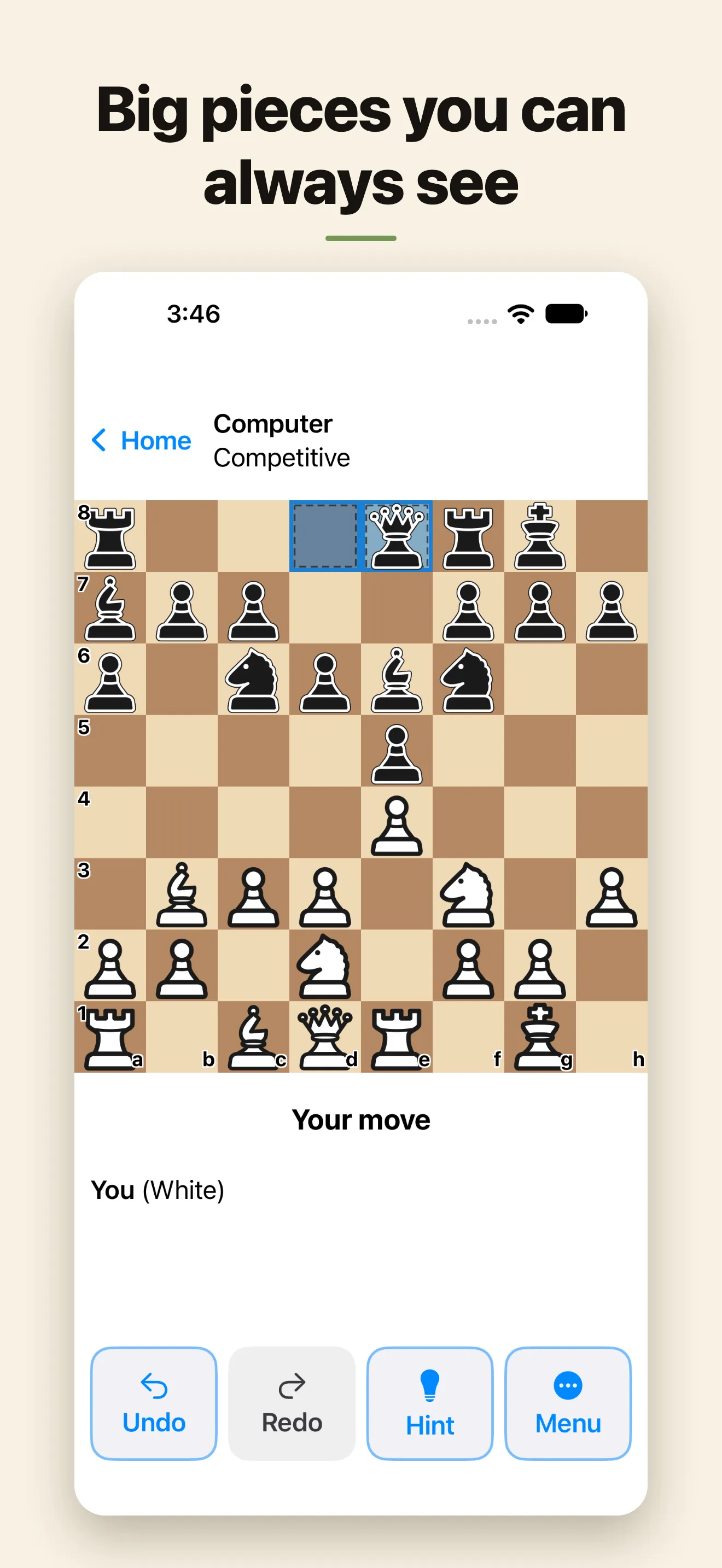
Choose Clear Chess if you want pieces you can always see, tap to move, unlimited undo, free hints and no clocks, with no ads, no account and nothing to buy. It runs on iPhone and iPad with iOS 17.6 or later, in 9 languages.
What Clear Chess doesn't have:
- online games against other people;
- puzzles, lessons or a coach;
- game clocks, on purpose.
Try Clear Chess
Clear Chess is a free chess app for seniors and older adults who know how to play and want to play again. The pieces are big and bold, you tap to move, and the computer plays at your level. Your games stay on your device; only anonymous usage counts are sent.

Free for iPhone and iPad with iOS 17.6 or later. No ads and no account. Nothing is locked behind a purchase: there is no Premium, and tips are optional.
Questions
Which chess app has no ads?
Clear Chess has no ads and nothing to buy to remove them. Chess.com's and Chess Club's listings say they contain advertising. Chess Classic sells a Remove Ads purchase.
Which chess app is best for seniors?
Clear Chess is made for seniors and older adults: big, bold pieces, tap to move, no clocks, no ads and no account. Chess.com lists VoiceOver and Larger Text support, and adds online play, puzzles and lessons. The other two listings say nothing about accessibility.
Can I play chess against the computer without the internet?
Yes, in all four apps. Clear Chess, Chess Club and Chess Classic are offline chess apps. Chess.com lets you play the computer offline and adds online games when you are connected.
Which apps let me undo a move?
Clear Chess lets you undo as many moves as you like, and Redo them. Chess Club and Chess Classic offer undo too. Chess.com's listing doesn't mention it.
Which apps work on an older iPhone or iPad?
Chess Classic needs iOS 11.0 or later and Chess Club iOS 15.1 or later. Chess.com needs iOS 17.0, and Clear Chess iOS 17.6 or later.
More Clear Chess guides
- Clear Chess: every feature, screenshots and the full FAQ.